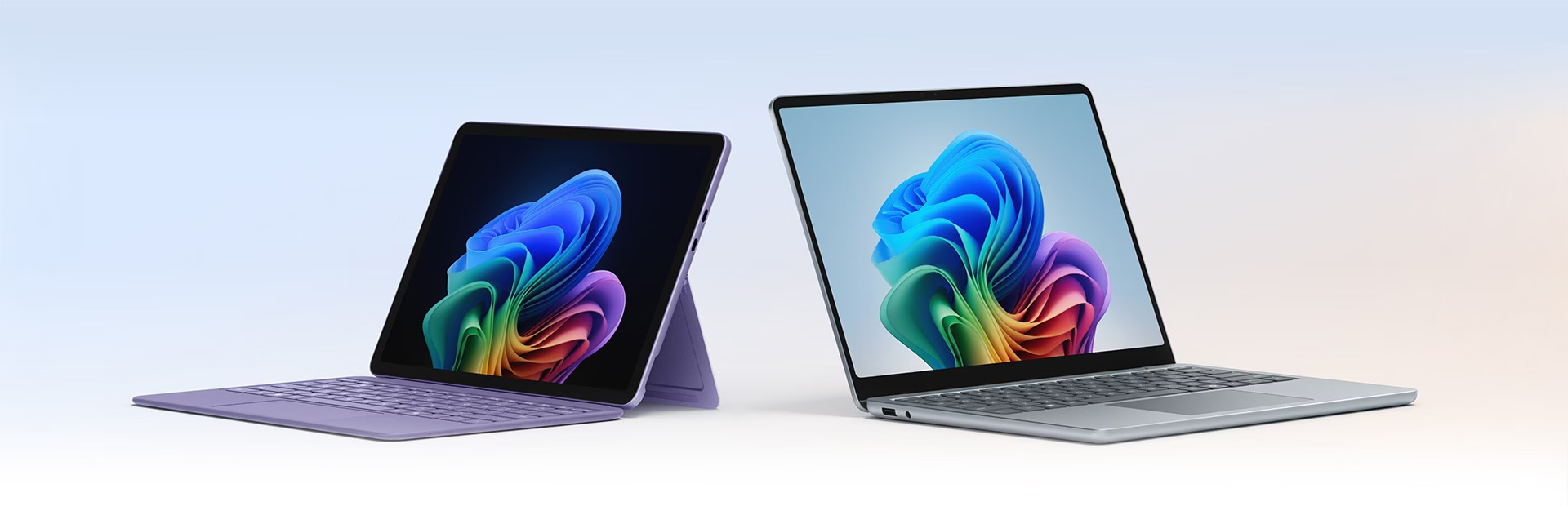
Recently I attended the Microsoft Surface Accelerator Event to get a closer look at the latest generation of Surface Copilot+ PCs and how Microsoft is positioning AI within everyday business computing.
At TechEquipt, we spend a lot of time helping businesses choose the right technology for productivity, collaboration, and long-term usability — so it was valuable to see how Microsoft is integrating AI directly into the device experience rather than treating it as just another software add-on.
Here are some of the key takeaways from the event.
AI Is Built Into the Device — Not Just an App
One of the biggest shifts with the new Surface Copilot+ PCs is that AI is deeply integrated into Windows and the hardware itself.
A lot of the AI processing runs locally on the device using a dedicated NPU (Neural Processing Unit). In practical terms, this means faster AI features, reduced reliance on cloud processing, and a more responsive user experience.
Some of the demonstrations included:
- Instantly summarising or rewriting content directly from anything visible on-screen
- Pulling information out of documents and images using natural language
- AI-powered image editing such as background removal and image generation
- System-wide live captions and real-time translation
- Voice typing with noticeably improved punctuation and contextual understanding
One feature that generated significant discussion was Recall, which allows users to search their activity using conversational prompts such as:
“Find that document I worked on last week about Surface devices.”
Rather than relying on exact filenames or folders, the system uses snapshots of previous activity to make content searchable in a much more natural way. Microsoft also highlighted that Recall settings can be disabled or adjusted depending on organisational requirements and privacy preferences.
Performance and Efficiency
The devices showcased included both Snapdragon X Elite and Intel-based options.
A consistent theme across the demonstrations was responsiveness:
- Instant-on performance
- Strong battery life
- Smooth multitasking
- Reduced CPU/GPU load thanks to AI tasks being handled by the NPU
Offloading AI workloads to dedicated hardware helps maintain performance while improving power efficiency — particularly important for mobile users and hybrid work environments.
Premium Hardware Design
From a hardware perspective, the devices felt refined, lightweight, and clearly designed with mobility in mind.
One surprisingly memorable demonstration involved everyone closing the device lids at the same time to showcase just how quiet and smooth the hinge mechanisms are. It sounds minor, but it reinforced the level of polish Microsoft is aiming for with the Surface lineup.
The flexibility of the Surface Pro form factor also stood out, particularly when paired with accessories.
Using an elevated stand such as the Kensington Elevated Stand for Surface together with a wireless keyboard and mouse transformed the device into a genuinely practical workstation setup while still maintaining portability.
Smarter Video Calls and Collaboration
The camera and conferencing capabilities were another major focus area.
Features demonstrated included:
- Wide field-of-view cameras capable of comfortably fitting multiple people into frame
- Auto-framing that intelligently keeps focus on the speaker
- Background blur and noise suppression processed directly on-device
- Eye contact correction that adjusts video to simulate looking directly at the camera or teleprompter
With hybrid meetings continuing to dominate modern workplaces, these AI-assisted collaboration features feel increasingly relevant for day-to-day business use.
Accessibility Features That Feel Practical
One of the strongest aspects of the event was the focus on accessibility and alternative ways to interact with devices.
Some of the features demonstrated included:
- Voice controls using wake phrases such as “Hey Copilot”
- Advanced dictation and voice typing
- System-wide live captions
- Compatibility with adaptive inputs and eye-tracking accessories available through Microsoft Surface accessibility solutions
- Touch and pen workflows that streamline navigation and note-taking
- Customisable trackpad controls, including settings that allow cursor movement and clicking using broader hand or fist gestures
What stood out most was that these accessibility features did not feel isolated or niche — many of them improved usability for all users, not just those with accessibility requirements.
Final Thoughts
The overall impression from the event was that Microsoft is moving beyond simply adding AI features into software and instead designing devices where AI is part of the core computing experience.
For businesses, the most interesting aspect may not be flashy AI demos, but rather how these features can improve everyday workflows:
- Faster information retrieval
- More efficient meetings
- Better mobile productivity
- Reduced friction when multitasking
- Improved accessibility across teams
At TechEquipt, we continue to evaluate emerging workplace technologies to help customers make informed decisions around devices, collaboration tools, and productivity solutions. The latest Surface Copilot+ PCs are clearly positioned as a major step in that direction.