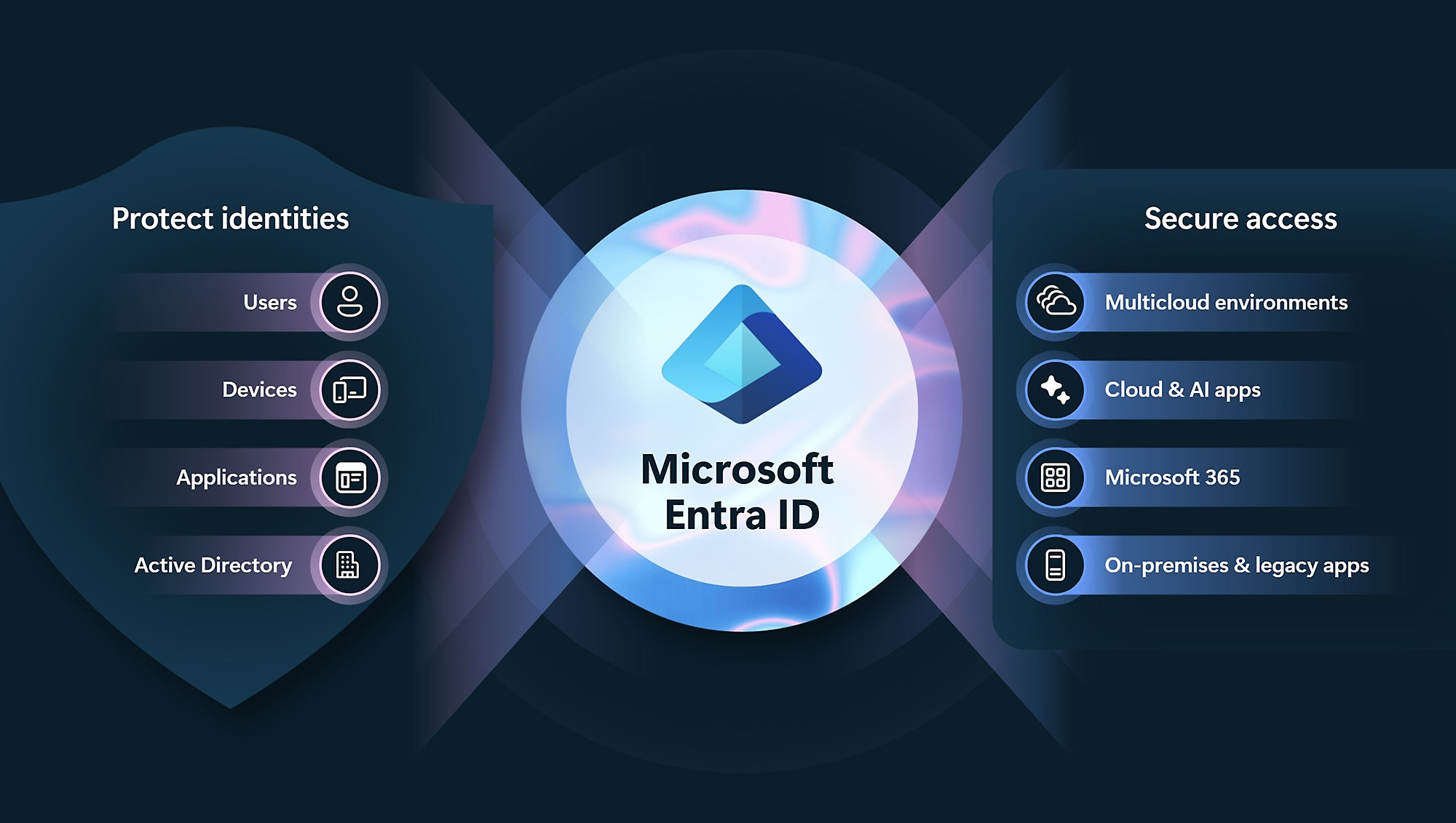
If you’ve been working with Microsoft 365 or cloud services, you may have come across the term Microsoft Entra ID.
It often gets mentioned in security conversations, licensing discussions, or when setting up Microsoft 365 Business Premium — but for many business owners, it’s not immediately clear what it actually does.
So let’s break it down simply:
Microsoft Entra ID is the system that controls who can log in to your business apps, what they can access, and under what conditions.
It used to be called Azure Active Directory (Azure AD), but Microsoft rebranded it as part of the broader Entra identity and security platform.
The simplest way to understand Entra ID
Think of Entra ID as:
The digital gatekeeper for your business.
Every time someone:
- Logs into Microsoft 365
- Opens email
- Accesses SharePoint files
- Uses Teams
- Or signs into a third-party app like Xero or Salesforce
Entra ID is working in the background deciding:
- Is this person who they say they are?
- Are they allowed in?
- From which device or location?
- Do they need extra verification?
Real-world examples of what Entra ID actually does
This is where it becomes practical.
1. “Can this person log in from this device?”
Scenario:
An employee tries to log into Microsoft 365:
- From their company laptop → allowed
- From a personal laptop → maybe allowed with restrictions
- From an unknown overseas device → blocked or challenged
What Entra ID does:
It checks:
- Device compliance (managed or unmanaged)
- Location
- Risk level
- Security policy rules
Then it decides whether to:
- Allow access
- Block access
- Or require Multi-Factor Authentication (MFA)
This is called Conditional Access.
2. “We just hired someone — give them access automatically”
Scenario:
A new staff member starts on Monday.
Instead of manually setting everything up, Entra ID can:
- Create their user account
- Assign them to the right groups (Sales, Finance, etc.)
- Give them access to email, Teams, SharePoint, and apps
- Apply security policies automatically
This is identity-based onboarding automation.
3. “Someone’s laptop is lost or stolen”
Scenario:
An employee loses a company laptop.
With Entra ID (and device management tools), IT can:
- Instantly block access to company systems
- Force sign-out of all sessions
- Remove company data from the device remotely
The identity system becomes your remote shutdown switch for access.
4. “We need to give a contractor access safely”
Scenario:
You hire an external contractor or accountant.
Instead of giving them full internal access:
- They get a guest account
- Access is limited to specific files or apps
- Access can expire automatically
- MFA is required
This is secure external collaboration (B2B access).
5. “Something suspicious is happening”
Scenario:
A user logs in:
- From a new country
- At an unusual time
- From a risky or compromised device
What Entra ID can do:
- Force MFA immediately
- Block the login attempt
- Alert administrators
- Require password reset
This is risk-based identity protection.
6. “One login for everything”
Instead of separate logins for:
- Email
- File storage
- CRM
- HR systems
Entra ID enables:
Single Sign-On (SSO)
Users sign in once and access everything they’re permitted to use.
So what is Entra ID really doing?
In simple terms:
Entra ID is the control layer sitting between your users and your business systems.
It doesn’t replace Microsoft 365 — it controls and secures it.
Why it matters for business security
Entra ID is what enables modern security models like Zero Trust, where:
- You don’t automatically trust a user just because they are “inside the company”
- Every login is verified
- Access is continuously checked
- Devices and behaviour matter, not just passwords
Why businesses end up using it (even if they don’t realise it)
If you use Microsoft 365 Business Premium, you already have Entra ID capabilities working in the background, including:
- MFA enforcement
- Conditional Access policies
- Identity protection features (depending on licensing)
It becomes the foundation for:
- Secure remote work
- Managed devices (with Intune)
- Endpoint protection strategies
- Compliance and auditability
Simple takeaway
If you strip away the technical terms:
Microsoft Entra ID is the system that makes sure the right people, using the right devices, can access the right business systems — and nothing more.